Delete Your Bowlers Network Account in 5 Steps
A step-by-step guide to permanently remove your profile and all related data.
Important Warning
Deleting your account is permanent. This action cannot be undone and will delete all your statistics, posts, comments, photos, videos, and team memberships.
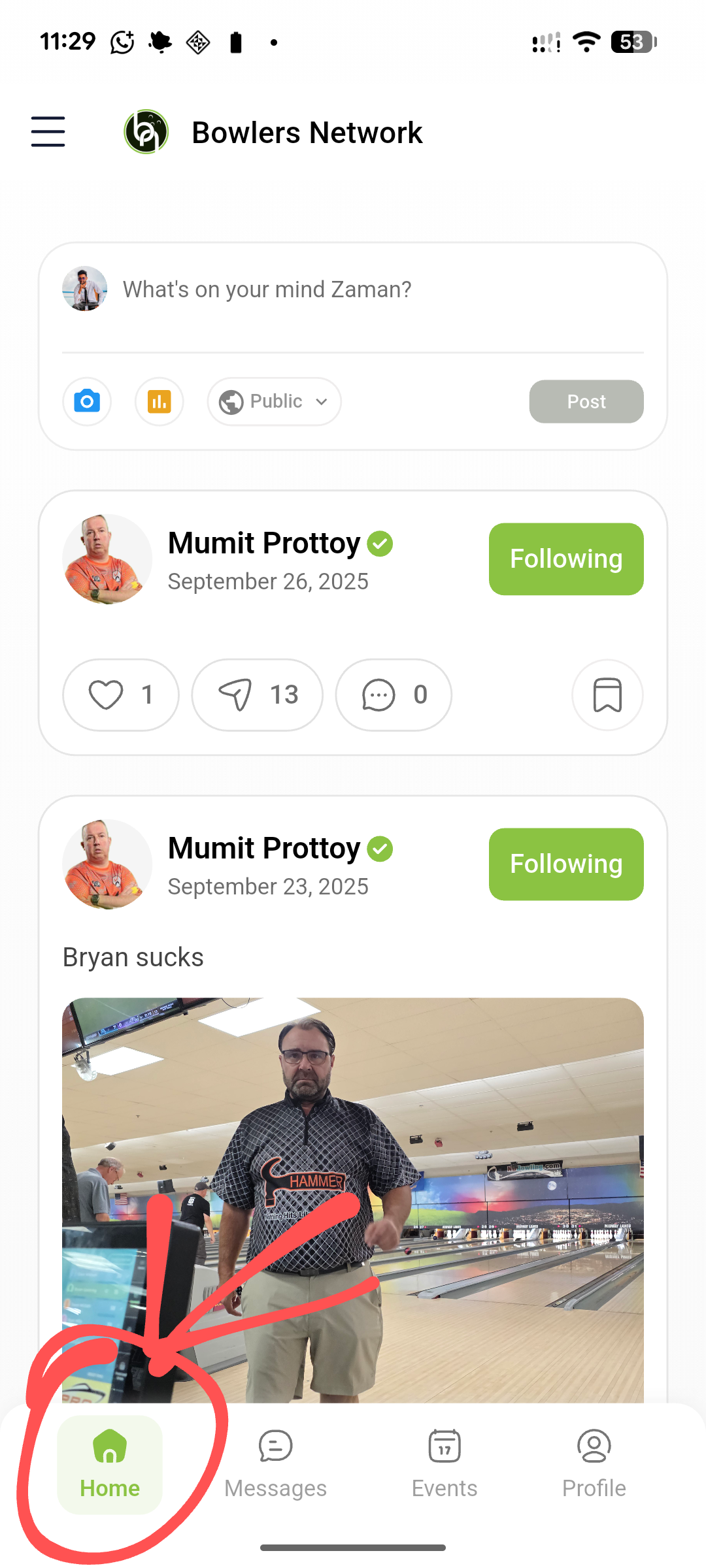
1 Open the Sidebar Menu
From the main **Home** screen, tap the hamburger icon (☰) in the top-left corner to open the main navigation menu.
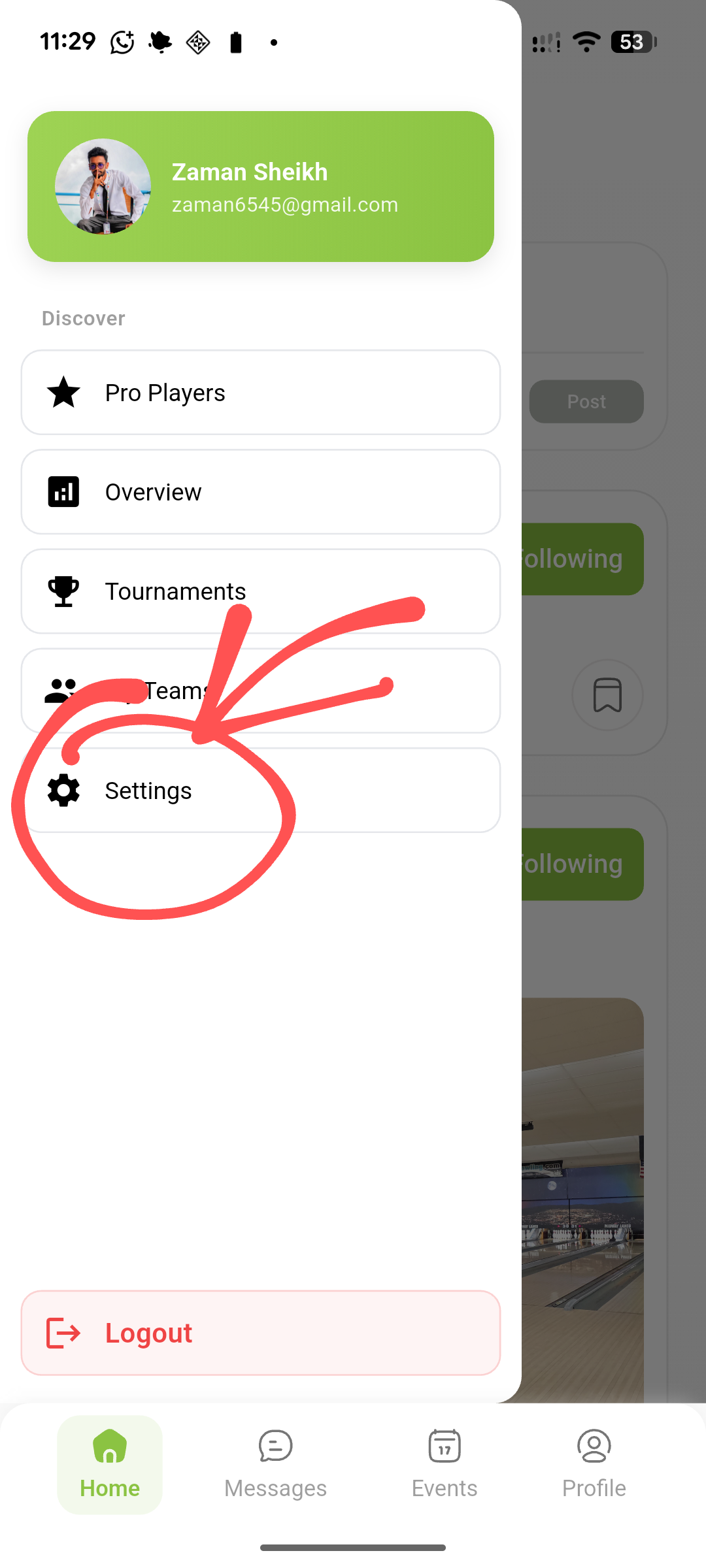
2 Access Account Settings
In the sidebar menu that appears, scroll down and tap on the **Settings** option (indicated by a gear icon) to open your preferences.
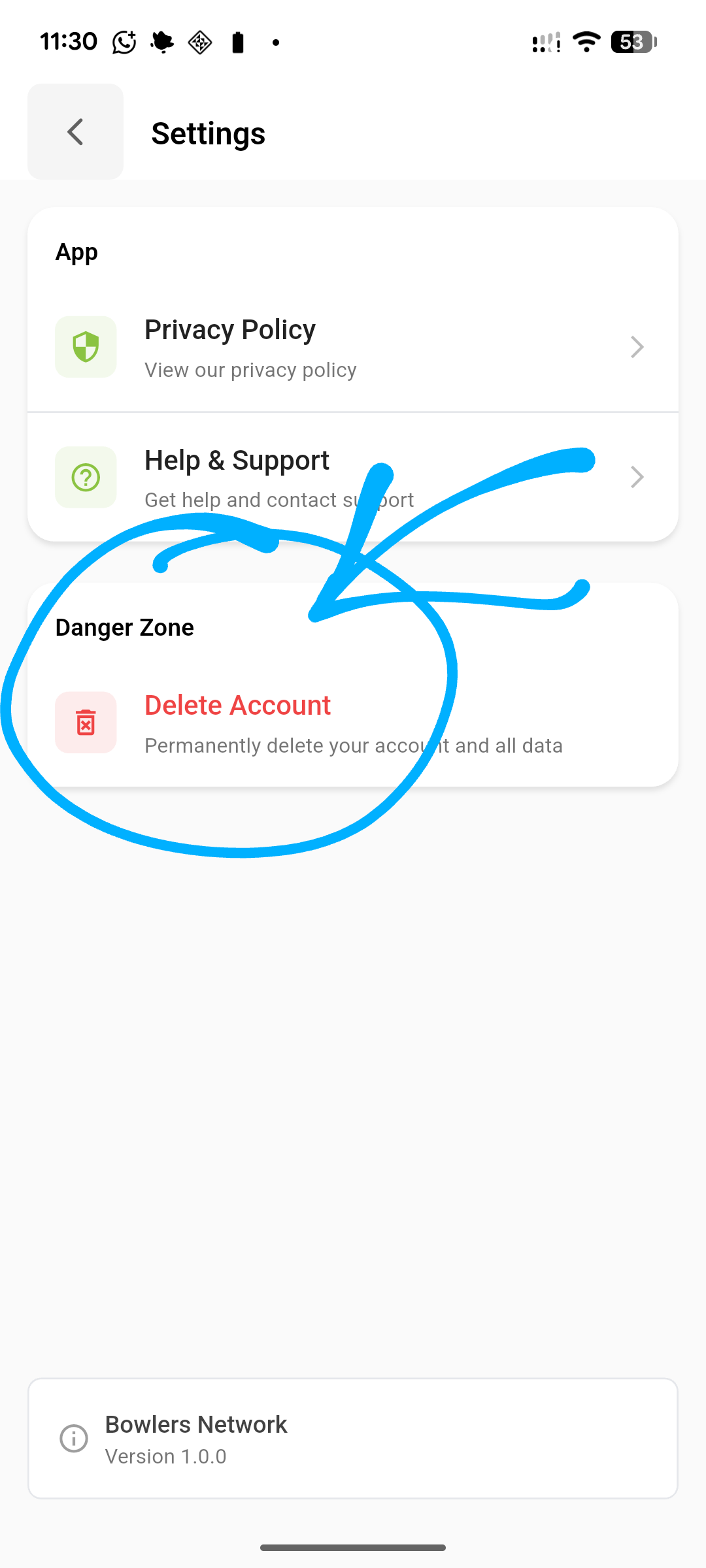
3 Select Delete Account
Inside the Settings menu, scroll to the **Danger Zone** section and tap on the **Delete Account** option to initiate the permanent deletion process.
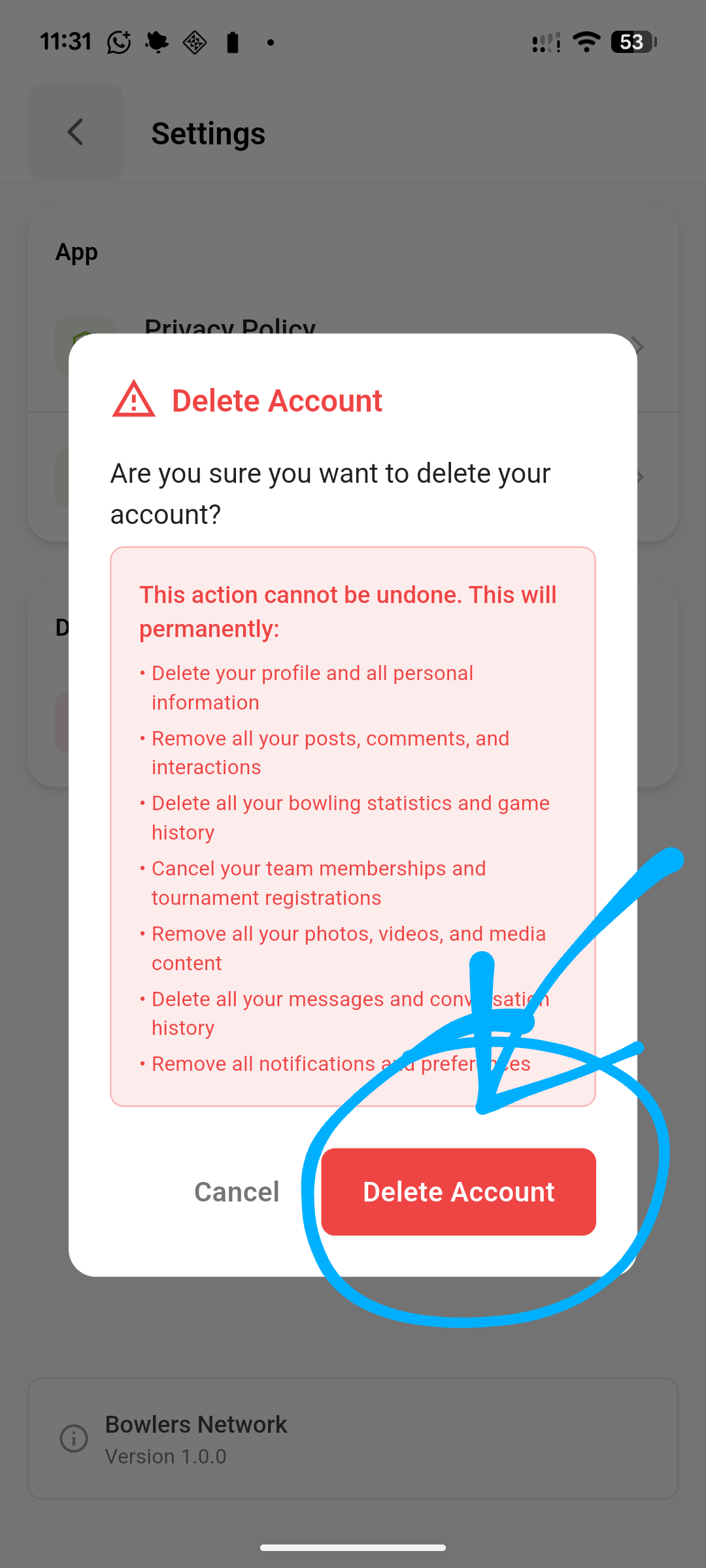
4 Review and Confirm Warning
A confirmation popup will appear detailing everything that will be permanently lost. Read this warning carefully, and if you agree, tap the red **Delete Account** button to proceed.
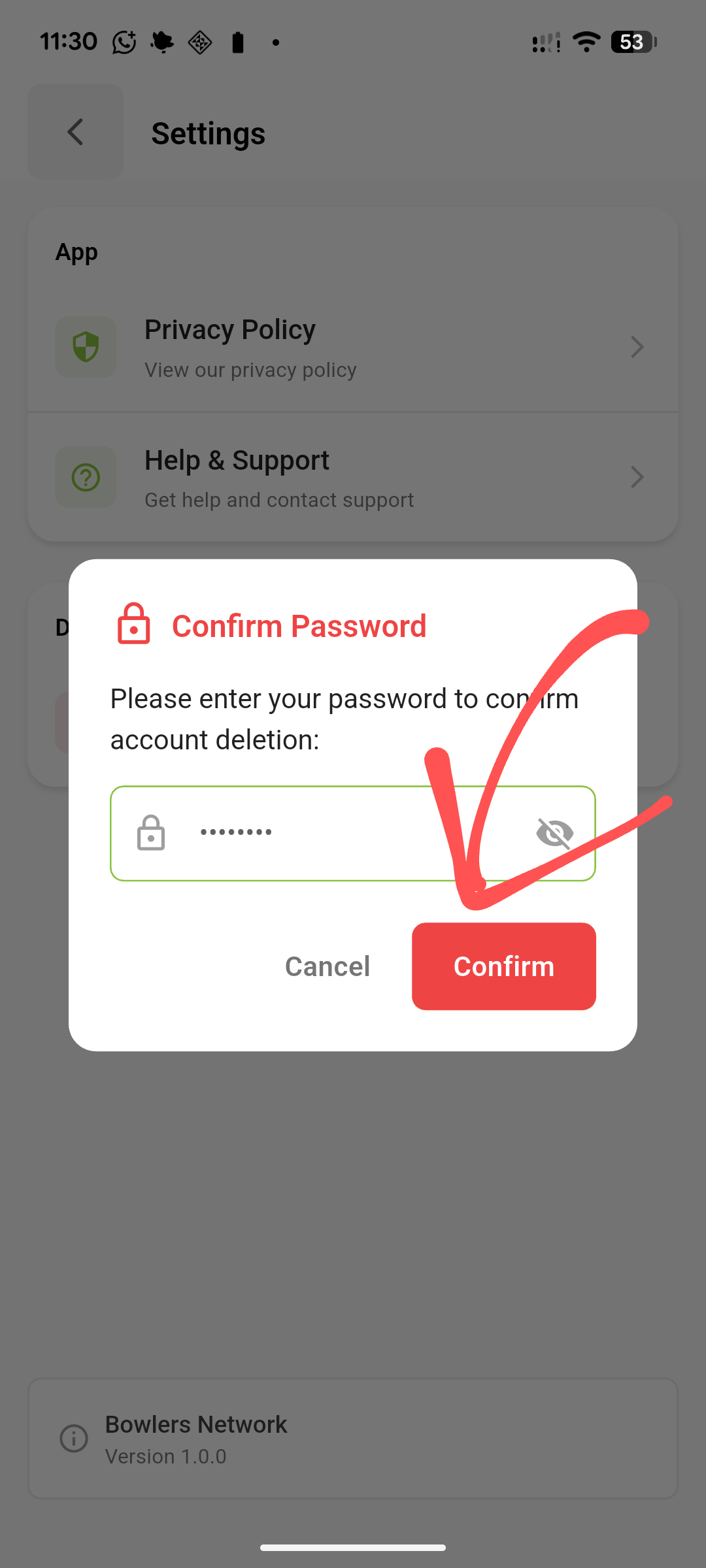
5 Enter Password to Finalize
As a final security measure, a popup will ask you to enter your account **password**. Type your password into the field and click **Confirm** to permanently close your account.